
Free Geocaching App for iPhone, iPad, and Android

Turn a Walk in the Park into a Treasure Hunt

Hide a small container for someone else to find, go looking for caches near you, and keep a record of everything you discover along the way.

New in 94.0 A cleaner look, a More tab, and lots of fixes

Free, with no ads. Try it without an account: tap Continue Without an Account and walk the practice trail.

  • Find mode points the way
  • A new Color Clache puzzle every day
  • Works without signal
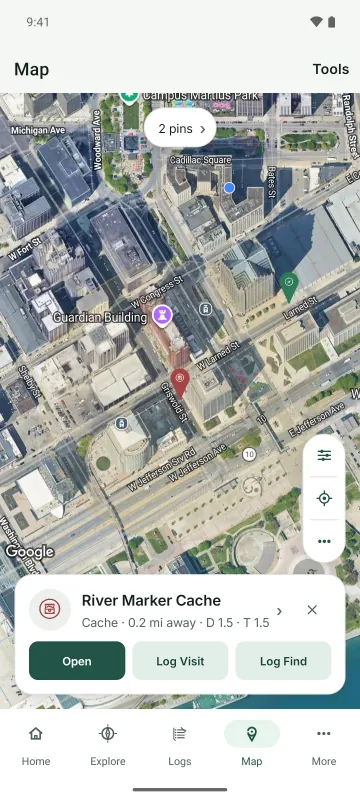
The map on Android with cache and adventure pins in downtown Detroit and River Marker Cache selected, with Open, Log Visit, and Log Find
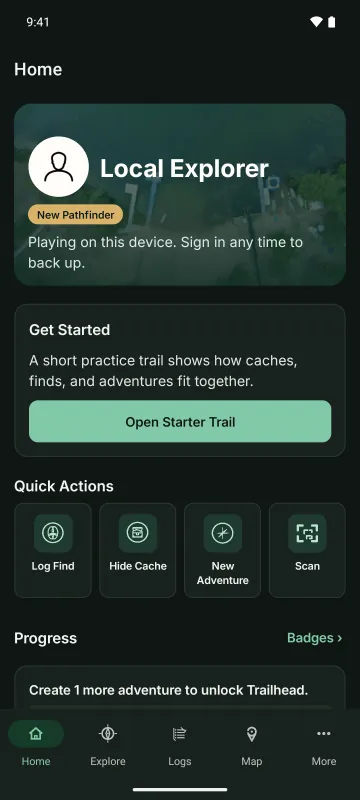
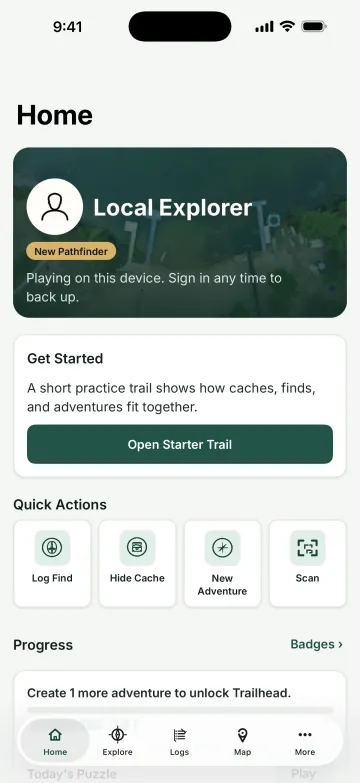
The Adventure Cache Home screen on iPhone: a profile card, a Get Started card for the practice trail, Quick Actions to log a find, hide a cache, start an adventure, or scan, and badge progress
  • Free, No AdsNo account needed to start. Sign in with Microsoft or Google when you want to share.
  • iPhone, iPad, and AndroidiOS 15 or later, or Android 7 or later.
  • Private or PublicKeep a record to yourself, or share it with other players.
  • Safety ToolsReport anything that doesn't belong, and block players you'd rather not see.

New in 94.0

A Cleaner Look

Adventure Cache 94.0 redraws every screen and fixes a long list of bugs.

  • A fresh design in Adventure Cache green and gold, with a new typeface, new icons, and a new app icon.
  • On iPhone and iPad with iOS 26, the app takes on the new system look, with glass bars and tabs.
  • A new More tab holds your tools, Profile, and Settings, in place of the side menu.
  • The Welcome screen now says Continue Without an Account, so it's clear you can look around first.
  • Deleting from an editor now closes the page, Scan's camera comes back after you allow it, and players you've blocked stay out of stop counts.

What You Can Do

Find, Hide, and Keep Track

A cache is a container you hide for others to find. A find is anything worth remembering: a view, a monument, an old tree. An adventure groups caches and finds into one outing, in your order or the shortest route.

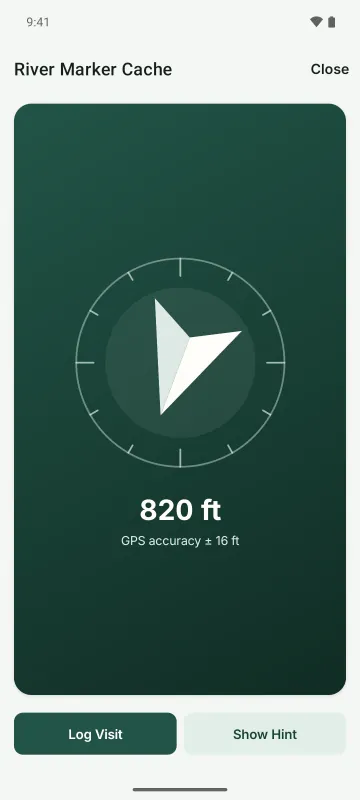
Find mode on Android: a large arrow points toward River Marker Cache, with the distance below and Log Visit and Show Hint buttons

Finding Caches

Let the Arrow Walk You There

See caches, adventures, and finds around you on the map, or search for one by name. Open a cache and tap Start Finding: an arrow points at the cache and counts down the distance as you walk.

  • Check the Cache of the Day and the caches closest to you on Explore.
  • Every cache has a difficulty and terrain rating, and you can filter the map by both.
  • Get directions or check the weather before you head out.
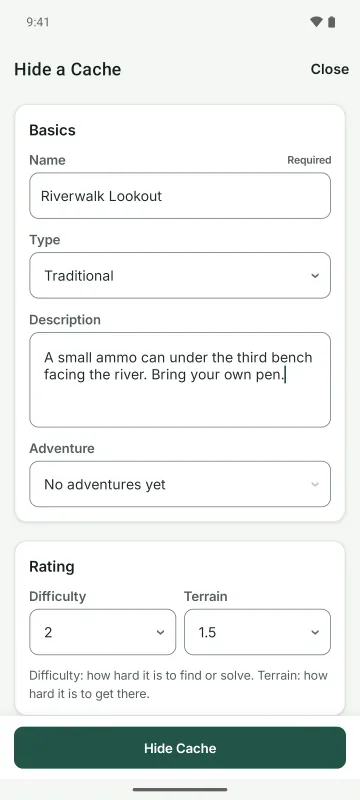
Hide a Cache on Android: the name, cache type, difficulty, terrain, and description fields

Hiding and Building

Hide a Cache in a Few Steps

Hide a cache with its location, a few photos, a description, hints, and questions. Lock it behind a Color Clache puzzle if you want people to work for it.

  • Print a QR tag for a cache or collectable, then scan it in the app to jump straight to its page.
  • Make collectables that players can take, move to another cache, or hand to a friend, and see where each one has traveled.
  • You'll get a heads-up if you try to hide a cache right next to another one.
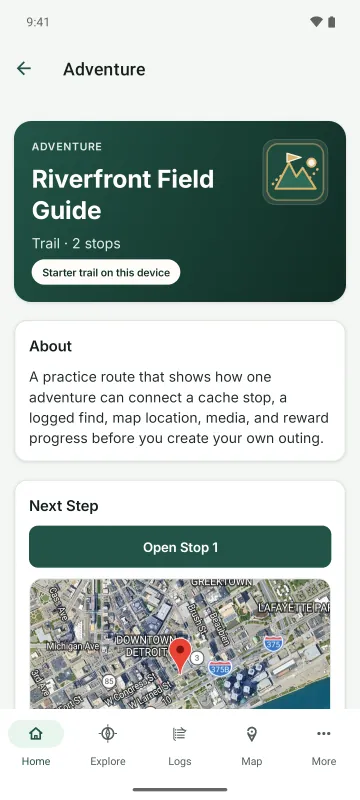
The Riverfront Field Guide adventure: a trail with two stops, what it covers, and a map of the next stop

Adventures

Plan a Whole Outing

Group caches into an adventure, in your own order or the shortest route. Record your route while you're out, then share a recap.

  • Log finds and visits with notes and photos.
  • Mark the caches you've found and heart the ones you love.
  • Export your caches and routes as GPX files.
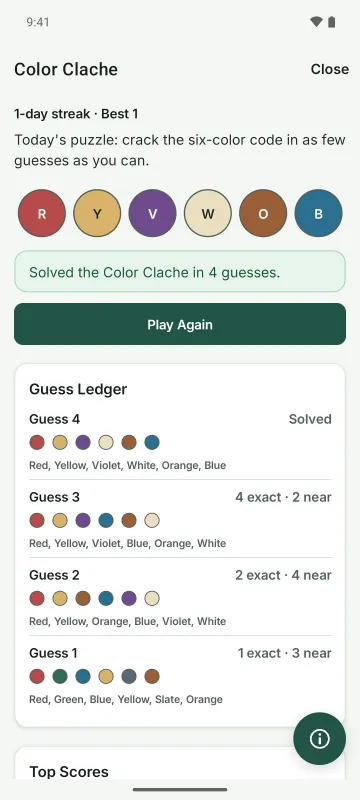
Today's Color Clache solved in four guesses, with a 1-day streak and each guess's exact and near matches in the Guess Ledger

Color Clache

Crack the Six-Color Code

Color Clache is a six-slot color code puzzle. Play it on its own, or lock a cache behind it so seekers have to crack the code to reveal it.

  • A new puzzle every day. Keep your streak going.
  • Every guess shows exact and near matches.
  • Earn badges as you play and explore.

A Quick Tour

See It Before You Download

A few screens from Adventure Cache on Android.

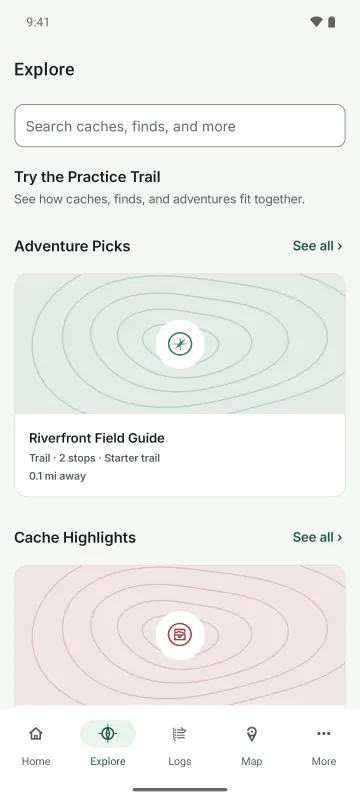
  • Explore on Android: a search box, the practice trail, Adventure Picks, and Cache Highlights
    Explore Adventures, caches, and finds from other players.
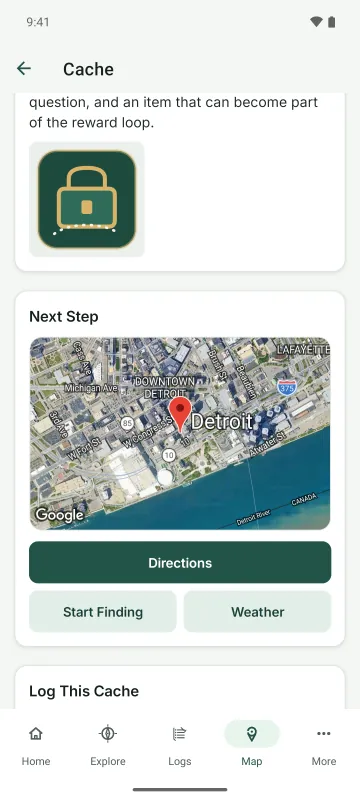
  • A cache page with its photo, a map of the next step, and Directions, Start Finding, and Weather buttons
    Cache Page Directions, the weather, and Start Finding, one tap away.
  • The Home screen in the dark theme
    Dark Theme Choose Light, Dark, or Match Device.
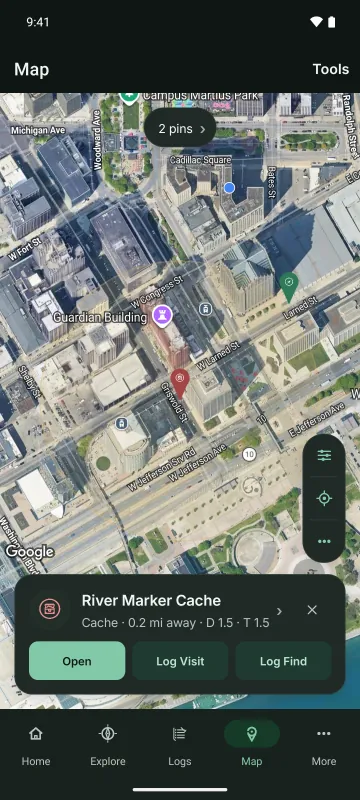
  • The map in the dark theme, with River Marker Cache selected
    Map Caches, adventures, and finds around you.

And More

The Little Things

  • Scan

    Scan the code on a cache, find, adventure, or collectable to open it.

  • Badges and Streaks

    Earn badges as you go, including a few secret ones, and keep a daily streak going.

  • Leaderboards

    Weekly leaderboards, public profiles, and an Activity page. You can leave the global leaderboard whenever you like.

  • Comments

    Comment and reply on caches, adventures, and finds.

  • Sync Queue

    No signal? Keep hiding and logging. Your changes wait in the Sync Queue and upload once you're back online.

  • Themes

    Light, Dark, or Match Device, on iPhone, iPad, and Android.

Privacy

Your Records, Your Call

Your records stay on your device until you sign in. No ads, no analytics of our own, and no tracking across other apps.

Read the Privacy Policy
  • Location data is removed from your photos and videos before they're uploaded.
  • Delete anything you've made, or your whole account, from Settings.
  • Everyone agrees to the Community Guidelines before posting in public.

FAQ

Common Questions

Is Adventure Cache free?

Yes. It's free on the App Store and Google Play, with no ads.

Do I need an account?

No. On the Welcome screen, tap Continue Without an Account and walk the practice trail. When you're ready to share your caches and find other people's, sign in with Microsoft or Google.

Does it work without signal?

Yes. Keep hiding and logging anyway. Your changes wait in the Sync Queue and upload once you're back online.

What is Color Clache?

A six-slot color code puzzle. Play the daily puzzle and keep your streak going, or lock a cache behind one so seekers have to crack the code first.

Which devices does it run on?

iPhone and iPad with iOS 15 or later, and Android devices with Android 7 or later.

More questions? Visit Support.

Start Your Next Adventure

Download Adventure Cache free on the App Store and Google Play.